Every bouquet in your shop — with price, cost and age
Assemble a bouquet and the materials come off stock. Sell it in one tap and the margin is calculated for you. If it lingers, mark it down or take it apart — living stems go back to stock.
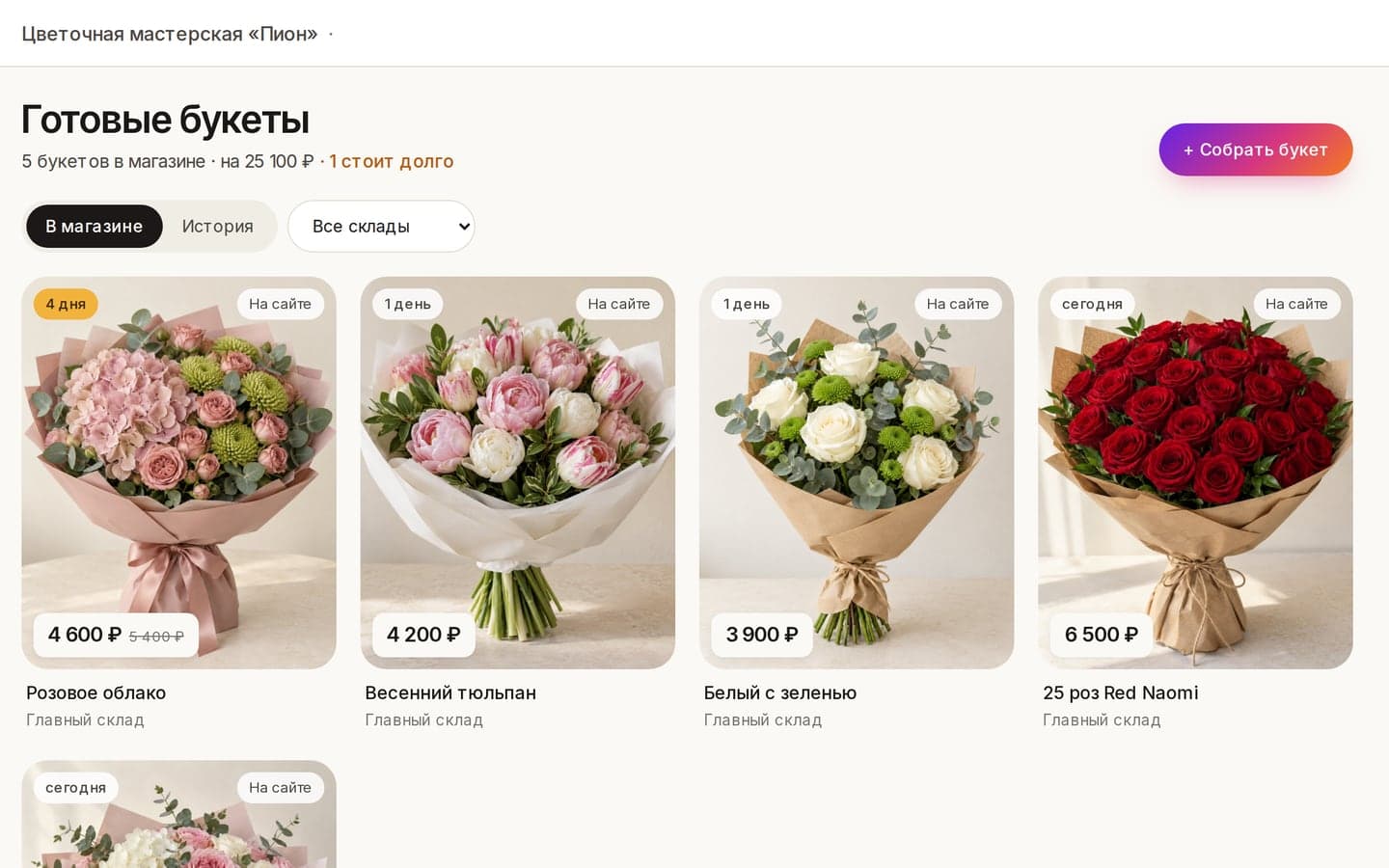
Assembled — and already in your books
From a recipe or freestyle, no recipe needed. Materials are written off by batch, and the bouquet gets its own photo, price, author and assembly time.
- ✓From a recipe or freestyle
- ✓A photo and price for every bouquet
- ✓Who made it and when
Sell in one tap
A customer picks a bouquet — one tap and the sale is done. Cost comes from that exact bouquet, so the margin is precise, not an average.
Age on every card
See how many days each bouquet has been standing. After the number of days you set, the card is highlighted: time to mark down or take apart. The Ready bouquets screen counts stale ones.
Mark down, take apart, write off
Marked down — the old price stays visible, struck through. Taken apart — living stems return to stock at their original cost, the rest is written off. Everything stays in the history.
“Ready to pick up today” on your site
Tick “Show on site” when assembling and the bouquet appears on your site with photo, price and what’s in it. A customer reserves one, an order is created in your CRM and the bouquet leaves the site at once — no two customers can book the same one.
Team permissions
Choose who can see bouquets, assemble, sell, change prices and take them apart. Cost is visible only to those who should see it.
Where it shines
Neighbourhood flower shop
In the morning the florist fills the display, during the day sells in one tap, in the evening sees what’s left and what to mark down.
Studio with its own site
One checkbox when assembling and the bouquet is on your site under “Ready to pick up today” — you sell online too, without posting by hand.
Several locations
Bouquets belong to a location’s warehouse: see what stands where and what it’s worth.
Ready bouquets: Acanta vs a regular POS
Questions florists ask
Do I need a recipe for every bouquet?
No. Assemble from a recipe or freestyle — just pick the materials. Cost is calculated either way.
What if a bouquet doesn’t sell?
Mark it down or take it apart. Living stems go back to stock at their original cost, the rest is written off. It’s all in the history.
How does a bouquet get to my site?
Mark it “on site” and it appears under “Ready to pick up today”. A reservation creates a CRM order and removes the bouquet from the site; cancelling the order puts it back.
See it on your own shop
Set up with your data. Free plan — free with no time limit; Pro and Max — 14 days free to try.